

Each provider records its own side of an AI coding session, and only its own side. Claude Code writes local transcripts and can export opt-in telemetry; Cursor keeps an admin audit log that explicitly excludes prompt and code content; Bedrock and Vertex AI log the model call if you switch that logging on; and an MCP server logs whatever its own author chose to log, because the protocol does not require it to log anything at all.
None of these logs was built to answer a security team's question: what did this identity do, across every one of these tools, in this repository, this week? Below is a source-by-source map of what each surface captures, what is off by default, and where the gap sits once you put the pieces together. Check the vendor's page before you build a control on any single row: these settings change.
What does Claude Code log?
Claude Code keeps a local session transcript on the developer's own machine, in an undocumented, version-dependent JSONL format, and that transcript is not exported anywhere by default. Separately, Claude Code can export OpenTelemetry metrics, events and (in beta) traces to a collector an administrator configures. Usage metrics such as session count, lines of code changed, tokens used and cost are included whenever telemetry is switched on. Prompt text, assistant response text, file paths, bash commands, and tool input/output are all redacted from that export by default and only appear once an admin sets the corresponding environment variable, for example OTEL_LOG_USER_PROMPTS or OTEL_LOG_TOOL_DETAILS. When telemetry is enabled, every event carries the user's account ID, and email where OAuth is used, and an organisation ID, which is what makes cross-session aggregation possible in whatever backend the admin points the collector at, such as Datadog or Grafana. Claude Code also supports hooks, small scripts that can intercept a tool call before or after it runs; hooks are a developer- or admin-configured mechanism, not a standing log.
What does Cursor log?
Cursor's enterprise audit log is documented as covering administrative and security events: logins and logouts, user and role changes, API key creation and revocation, spend-limit and integration changes, repository and cloud-environment lifecycle events, and privacy-mode toggles. Cursor's own documentation states that agent responses and generated code content are not logged, and that prompt text is excluded from the audit log as well. What is captured is metadata: timestamps, event IDs, team and repository identifiers, IP addresses and user email addresses. For teams that need to record the content of what a developer asked for or accepted, Cursor's own guidance points to hooks as the mechanism, with an explicit caution to log metadata such as who, when and which file rather than content where possible. The audit log itself is an enterprise-plan feature and can be streamed to a SIEM, a webhook, an S3 bucket, or exported as CSV.
What do Bedrock and Vertex AI log when you host the model yourself?
If an organisation runs Claude, or another foundation model, through Amazon Bedrock or Google Vertex AI rather than through a vendor's own client, the logging picture changes again, and it is off by default at both providers.
On Bedrock, CloudTrail records the management-plane API call, including caller identity and timestamp, largely regardless of configuration, though some invoke operations need advanced event selectors turned on before they appear as CloudTrail data events. Capturing the actual prompt and response requires a separate, explicit step: model invocation logging, which writes prompts, responses and request IDs to a CloudWatch log group, an S3 bucket, or both, once an administrator enables it.
On Vertex AI, Cloud Audit Logs capture caller identity, model ID and method for every call, but the Data Access log category that includes methods such as generateContent and predict is disabled by default. Capturing the full prompt and response body is a further, separate configuration: request-response logging, set per endpoint with its own sampling rate, writing into BigQuery.
In both cases the pattern is the same: who called the model is comparatively cheap to log and closer to on by default; what was actually said is a deliberate, separately configured, and separately costed decision, and it lands in a destination the customer's own cloud account controls.
What does an MCP server log?
The Model Context Protocol defines a logging capability, but it specifies the mechanics of a log message, not what any given server chooses to put in one. A server that declares the logging capability can send severity-leveled notifications, from debug to emergency, to the client it is connected to. The specification instructs servers not to include credentials, secrets or personal data in those messages, and to rate-limit them, but whether a specific tool call is logged at all, what fields it contains, and whether the calling client keeps or discards it, is entirely up to that server's own implementation and the client's own choice to persist or discard what it receives. There is no protocol-level requirement for a central log, no protocol-level concept of an admin audit trail, and no guarantee that two MCP servers describe the same tool call the same way. Whatever visibility an organisation gets from its MCP servers, it built, or its server vendor built, on top of the protocol, not because the protocol requires it. The first systematic study of the MCP server lifecycle makes the same point from the other side: it lists log audit, centralised log aggregation and integrity-protected storage as safeguards the operator has to add in the maintenance phase, not features the protocol supplies (Hou et al., ACM Transactions on Software Engineering and Methodology, 2026).
What does OpenAI log?
OpenAI publishes two different logging surfaces, and they answer different questions. Mixing them up is how a security team ends up thinking it has invocation evidence when it only has configuration evidence.
On ChatGPT Enterprise and Edu, the Compliance Logs Platform exposes immutable, append-only compliance log events for the workspace. A complementary stateful Compliance API lets you query workspace state at the time of the request, which is how you join objects that the log events only reference. Access is through a workspace-scoped Admin key. Conversation-message content is a separate, owner-only permission; other log categories such as audit, authentication, or app logs can be granted more narrowly. OpenAI documents that the Compliance Logs Platform retains data for 30 days, so longer retention is something you copy out into your own store. Deleted data is not recoverable through this API.
On the API Platform (the developer API organisation, not the ChatGPT workspace), the Audit Logs API records administrative activity: API key lifecycle, invitations, users and service accounts, project lifecycle, and organisation settings. OpenAI describes these as user actions and configuration changes. That is not a log of prompts, completions, or tool calls. Capturing what a model was actually asked, and what it returned, is a separate customer-side choice, the same pattern as Bedrock model-invocation logging or Vertex request-response logging.
Neither surface, on its own, tells you what happened after the output left OpenAI and landed in your repository, ticket, or production system.
What does Microsoft 365 Copilot log?
When auditing is enabled, Microsoft 365 Copilot interactions are written to the Microsoft Purview unified audit log as CopilotInteraction records. Microsoft documents this as part of Audit (Standard): you do not configure a separate Copilot-specific audit pipeline. Each record includes who interacted, when, which host application the interaction ran in (AppHost: Word, Excel, Teams, Outlook, BizChat, and others), and AccessedResources references to the files, sites, or messages Copilot used to produce a response, including a sensitivity label ID where one is applied.
The Messages field on the audit record identifies the prompt and response by ID and flags which side is the prompt. It does not, by itself, put the full prompt and response text in that audit row. Microsoft's own guidance is that reviewing the content of Copilot interactions is a different Purview surface (Data Security Posture Management for AI, Communication Compliance, or eDiscovery), behind additional permissions.
What these records do not join to is everything outside Microsoft 365. A CopilotInteraction in Purview will not tell you whether the same person then pasted the output into Cursor, committed it through Claude Code, or called an MCP server from a local tool. It is a Microsoft-365-side record of an interaction, not an estate-wide action log.
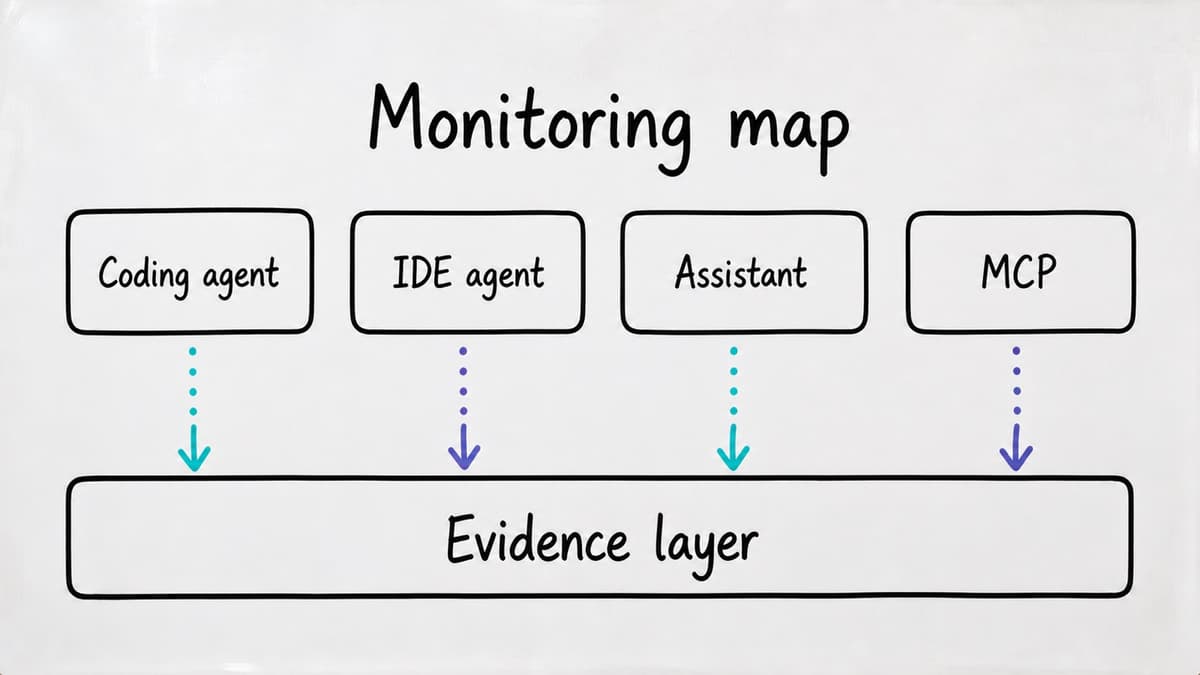
The source map
| Source | Prompt / response content | Tool and file-level actions | Identity on each event | Admin-visible audit trail | Where it lands |
|---|---|---|---|---|---|
| Claude Code | Local transcript always kept on-device; OTel export off by default, opt-in via OTEL_LOG_USER_PROMPTS / OTEL_LOG_ASSISTANT_RESPONSES | Off by default in OTel export; opt-in via OTEL_LOG_TOOL_DETAILS / OTEL_LOG_TOOL_CONTENT; tool accept/reject decisions logged as a metric regardless | Account ID, email (OAuth), organisation ID on every OTel event once telemetry is enabled | No separate hosted admin dashboard described in the docs; org-wide export requires an admin-configured OTel collector | Wherever the admin points the OTLP collector |
| Cursor | Documented as explicitly excluded from the audit log | Not part of the audit log; config-level changes (repos, environments, commands) are logged, edit content is not | Login/logout, user and role changes, API key events, tied to email and IP address | Enterprise-only dashboard; exportable to SIEM, S3, webhook, or CSV | Cursor's own dashboard, plus wherever the org streams the export |
| MCP server (generic) | Not defined by the protocol; depends entirely on the individual server | Same: a per-server decision, no protocol-mandated call log | No protocol-level identity log; auth for remote servers is handled per-transport | None by protocol; only exists if the server or its host application builds one | Whatever the client does with the notification it receives |
| OpenAI ChatGPT Enterprise (Compliance Logs Platform) | Conversation content only with the owner-gated conversation-messages permission; other log categories (audit, authentication, app) are granted separately | App and audit log categories as granted on the Admin key; not a protocol-level tool-call log | Actor on the Admin key and workspace identity on the events | Workspace compliance export; OpenAI retains Compliance Logs Platform data for 30 days unless you copy it out | Customer's SIEM, eDiscovery or DLP via the Compliance API |
| OpenAI API Platform audit logs | Not included. The audit log records configuration changes, not prompt or completion bodies | Not applicable at this layer: key, user, project and settings lifecycle, not IDE-side tool use | Actor identity on the administrative event | Organisation audit log; OpenAI documents that once enabled it cannot be disabled | OpenAI organisation audit log |
| Microsoft 365 Copilot | Prompt and response identifiers on the CopilotInteraction record; full text is a separate Purview surface (DSPM for AI, eDiscovery), not the audit row itself | AccessedResources (files, sites, messages, sensitivity label IDs) inside Microsoft 365; no record of non-M365 tool calls | UserId on the Purview audit record | Purview unified audit log (CopilotInteraction) when auditing is on | Microsoft Purview; does not join to Claude Code, Cursor, MCP or other non-M365 tools |
| Amazon Bedrock | Off by default; explicit opt-in (model invocation logging) writes prompt, response and request ID to CloudWatch and/or S3 | Not applicable at this layer; Bedrock logs the model call, not IDE-side tool use | CloudTrail records caller identity and timestamp as a management event, largely regardless of configuration | CloudTrail plus CloudWatch/S3, native to the customer's own AWS account | The customer's own AWS account boundary |
| Google Vertex AI | Off by default at two levels: Data Access logs (metadata) disabled by default; full body capture needs separate, per-endpoint request-response logging | Not applicable at this layer, same reasoning as Bedrock | Cloud Audit Logs capture caller identity, model ID and method once the log category is enabled | Cloud Audit Logs and BigQuery, native to the customer's own GCP project | The customer's own GCP project boundary |
What does nobody log?
Every row in that table is a security team building visibility into one workspace at a time, including the OpenAI compliance and Microsoft 365 Copilot rows. Each provider's log, however completely you configure it, tells you what happened inside that provider's own process. It does not tell you whether the developer who ran a Claude Code session at 9am opened the same repository in Cursor at 9.15, whether a suggestion accepted in one tool reappeared as a commit reviewed nowhere, or whether the same human identity touched five different AI surfaces across a week using five different local sign-ins that no single log correlates.
Even where full content capture is switched on at every source, OTEL_LOG_RAW_API_BODIES in Claude Code, model invocation logging in Bedrock, request-response logging in Vertex AI, what you get is several separate, fully configured logs in several separate destinations. Joining them on identity, timestamp and repository into one estate-wide picture is work an organisation has to do itself, because no single one of these logging surfaces was designed to do it for another vendor's tool. NIST's log management planning guide treats that as a design task in its own right: deciding how event correlation across log sources is performed inside the log infrastructure, and how the integrity of each log event is protected at the source, in storage and in transit (NIST SP 800-92 Rev. 1, initial public draft, 2023).
Every destination above, an S3 bucket, a BigQuery table, a self-hosted OTel collector, a SIEM stream, sits inside a boundary the customer already controls. The capacity to capture the data mostly exists, in a configuration an admin has to find and turn on source by source. What is missing is a place built to receive all of it and correlate across sources. Where that platform is allowed to sit, in the customer's own cloud, on-premise, or reached over an API, is a separate decision from whether any individual AI tool logs the event.
Sources
Each row of the map is drawn from the provider's own documentation, as published at the time of writing. Two independent sources frame the gap:
- Xinyi Hou, Yanjie Zhao, Shenao Wang, Haoyu Wang, "Model Context Protocol (MCP): Landscape, Security Threats, and Future Research Directions", ACM Transactions on Software Engineering and Methodology, 2026, https://doi.org/10.1145/3796519 (open access: https://arxiv.org/abs/2503.23278)
- NIST, "Cybersecurity Log Management Planning Guide", SP 800-92 Rev. 1, initial public draft, 2023, https://csrc.nist.gov/pubs/sp/800/92/r1/ipd
- Claude Code: Monitoring usage with OpenTelemetry
- Cursor: Compliance and monitoring
- OpenAI: Compliance Platform for Enterprise and Edu
- OpenAI: Admin and Audit Logs API for the API Platform
- Microsoft: Audit logs for Copilot and AI applications
- Microsoft: CopilotInteraction schema
- Model Context Protocol: Logging specification
- Amazon Bedrock: Model invocation logging
- Google Vertex AI: Audit logging
Related reading:
- The CISO's AI Accountability Playbook
- Security for AI: Govern AI Agents
- Proof Points: Results & Methodology
How SenseOn writes, checks and corrects its content: editorial standards.
